Press your hotkey
Anywhere in macOS — mid-email, mid-message, mid-commit. A small activity island appears at the top of your screen so you know it is listening.
⌥+Zby default
 FlowType
Version 1.10 · macOS 12+
Most people type around 40 words a minute and speak around 150. FlowType closes that gap: hold a hotkey, talk, and finished text appears wherever your cursor is.
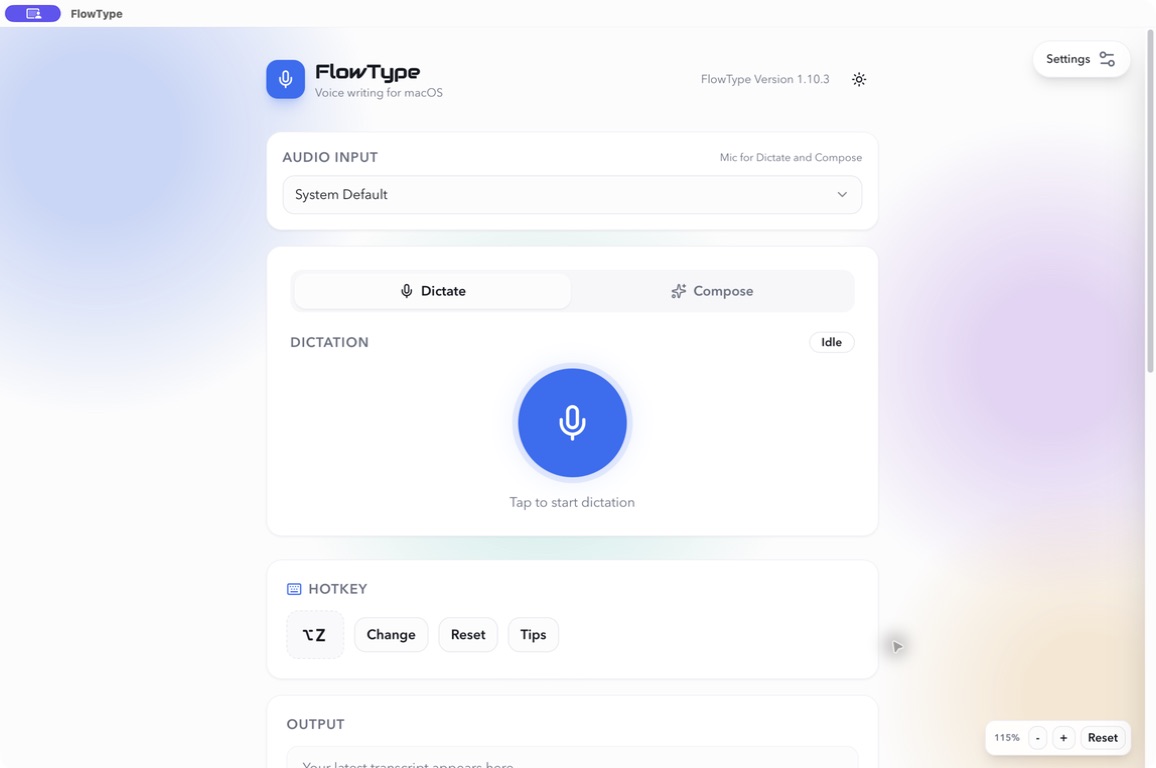
FlowType 1.10 · Light theme
FlowType is a menu bar utility, not another window to manage. It waits until you press your hotkey and gets out of the way as soon as your text lands.
Anywhere in macOS — mid-email, mid-message, mid-commit. A small activity island appears at the top of your screen so you know it is listening.
No stilted dictation voice and no reciting punctuation. Clean dictation removes the ums, the false starts and the repeated words on its own.
Your transcript is copied to the clipboard and, if you want, pasted straight into the app you were already using. Then FlowType goes quiet again.
Dictate is a faithful transcript. Compose takes an instruction and writes the draft. Same hotkey, one toggle apart.
Speech in, text out. Runs on the bundled offline model, so it works on a plane, on hotel wifi, or with your network cable pulled out.
Describe the message instead of dictating it. Compose sends your instruction to the model you choose and returns only the finished text — no chat window, no copying between apps.
FlowType ships with a Whisper model inside the app bundle and selects it on first launch. Recording and transcription both happen on your Mac. Going online is a deliberate choice you make, not something that happens quietly.
No FlowType account, ever. There is no login, no telemetry pipeline for your transcripts, and no server that needs to be running for the app to work. Your licence is verified locally.
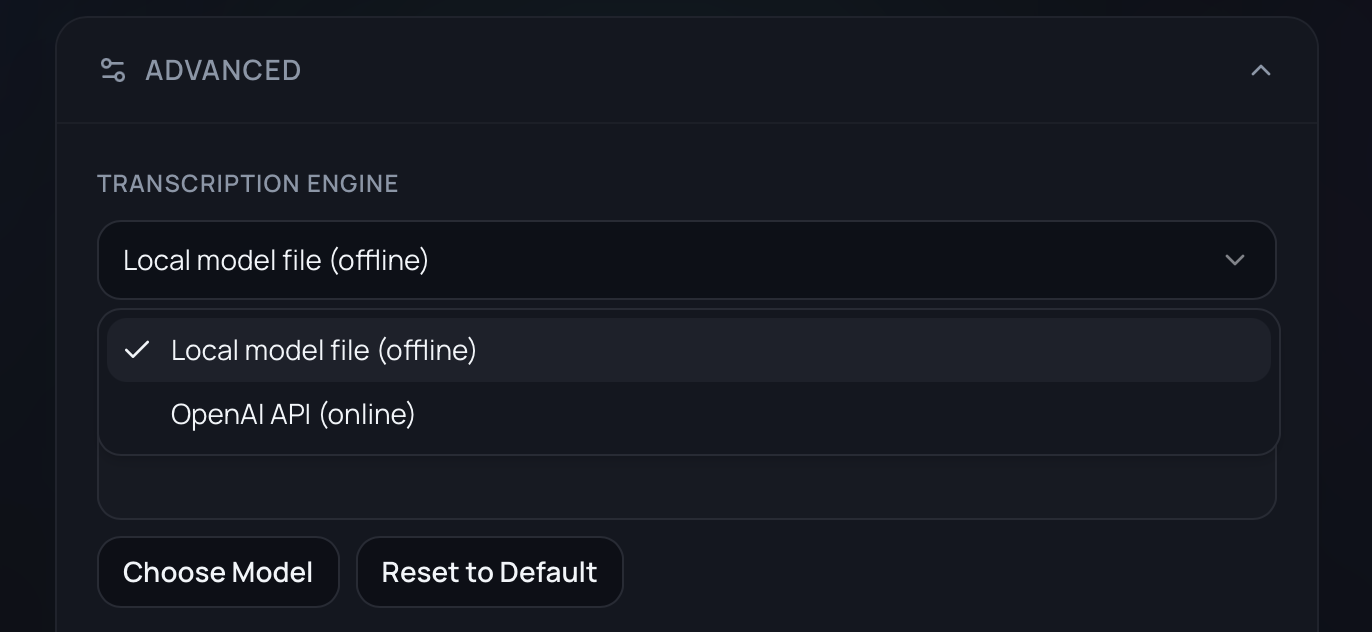
Settings · Advanced · Transcription engine
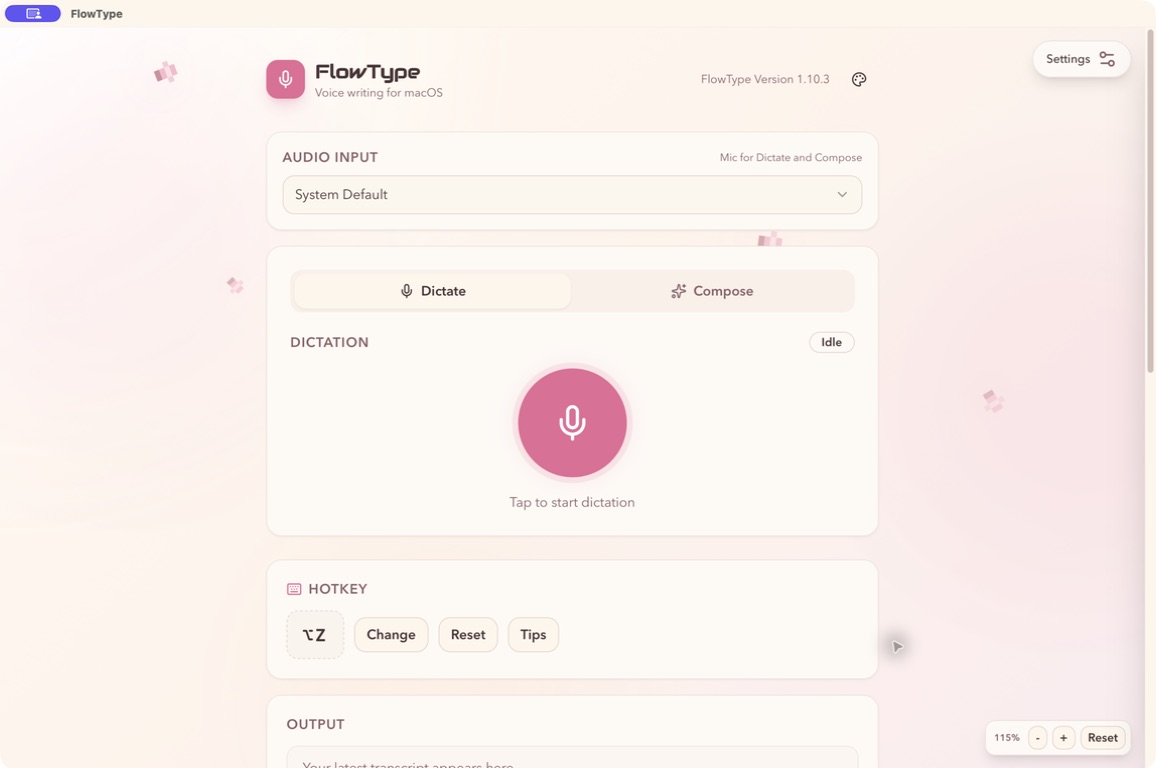
Six built-in themes, switchable from the window without a restart. Every screenshot below is the real app.
The details that decide whether you keep a utility installed after the first week.
Record any shortcut you like. It works whether the FlowType window is open, hidden, or tucked in the menu bar.
Close the window and FlowType keeps running. Start, stop, open, and quit straight from the tray menu.
Teach it the spellings it keeps getting wrong — names, product names, jargon — and trigger reusable blocks of text by voice.
Optional local cleanup strips filler words and repetitions, then fixes punctuation spacing and capitalisation. No model call needed.
See what you dictated today, this week, this month, and all time — plus your words-per-minute for your last session.
Copy anything back from your transcript history, or switch on auto-clear so nothing is ever retained.
Every release is code-signed and notarised by Apple, so it opens without warnings and updates verify before installing.
Check for updates from inside FlowType. Updates are cryptographically signed and free for the life of your licence.
If you add an API key, it is stored in the macOS Keychain — never written into a settings file in plain text.
Try the whole app for a week without handing over a card. If it earns a place in your workflow, buy it once and keep it — including every future update.
$14.99one time
Starts with a 7-day free trial. No card required to begin.
Download the free trialAlready tried it? Buy a licence
Something not covered here? Email support and a person will reply.
Yes. Seven days of the complete app, no credit card and no account. If you keep it, FlowType is $14.99 once — there is no subscription and no upsell tier.
Not unless you choose an online engine. FlowType ships with a local Whisper model and uses it by default, so recording and transcription happen entirely offline. If you switch to OpenAI or OpenRouter, audio goes to that provider under their terms and is billed by them.
Any app with a normal macOS text field. Your transcript is copied to the clipboard automatically, and if you turn on auto-paste it lands directly at your cursor — in Mail, Slack, Notion, Docs, your notes app, or your editor.
Dictate transcribes what you said, word for word. Compose takes a spoken instruction — “reply to this and say I can do Thursday” — and writes the draft for you. Compose uses an online model, so it needs your own OpenAI or OpenRouter key.
An optional Compose setting. When it is on, FlowType captures one image of your current display per Compose request so the model can see what you are working on, then deletes the temporary file immediately. It is off by default and needs macOS screen recording permission.
Nothing, if you stay on the bundled local model. Online transcription and Compose use your own OpenAI or OpenRouter key and are billed by them at their rates — a ChatGPT subscription does not cover API usage.
macOS 12 or later, on Apple silicon or Intel. FlowType asks for microphone access, plus accessibility permission if you enable auto-paste and screen recording permission if you enable Screen Context.
Your licence is for your personal Macs. Lost the email? Resend it from the support page.
Seven days, the whole app, no card. If it does not change how you write, delete it and you have lost nothing.
macOS 12 or later · Apple silicon and Intel · Signed and notarised