Speak. FlowType types.
FlowType turns your voice into text instantly wherever you type, with private local transcription by default and optional cloud models when you want them. Try it free for 7 days, then pay $14.99 once. No subscription.
Follow @flowtype_app on X
Works Everywhere in macOS
Dictate into any text field across your Mac — emails, notes, messages, documents, code editors, and more.
Blazing Fast Transcription
Speak, stop, and watch your words appear on screen. FlowType transcribes fast so you never lose your train of thought.
Free 7-Day Trial
Try FlowType free for a full week. When you're ready, it's just $14.99 — one-time, no subscription.
Everything you need to dictate
FlowType is designed to be simple, powerful, and stay out of your way. Here's what makes it great.
Instant Dictation
Tap the mic or press your hotkey, speak naturally, and stop when you're done. FlowType transcribes your words and types them right where your cursor is.
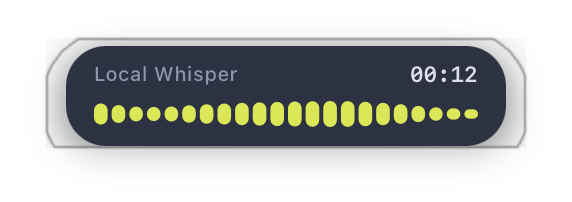
Real-Time Audio Feedback
A sleek floating visualizer shows you FlowType is actively listening. A live waveform confirms your speech is being captured as you speak.
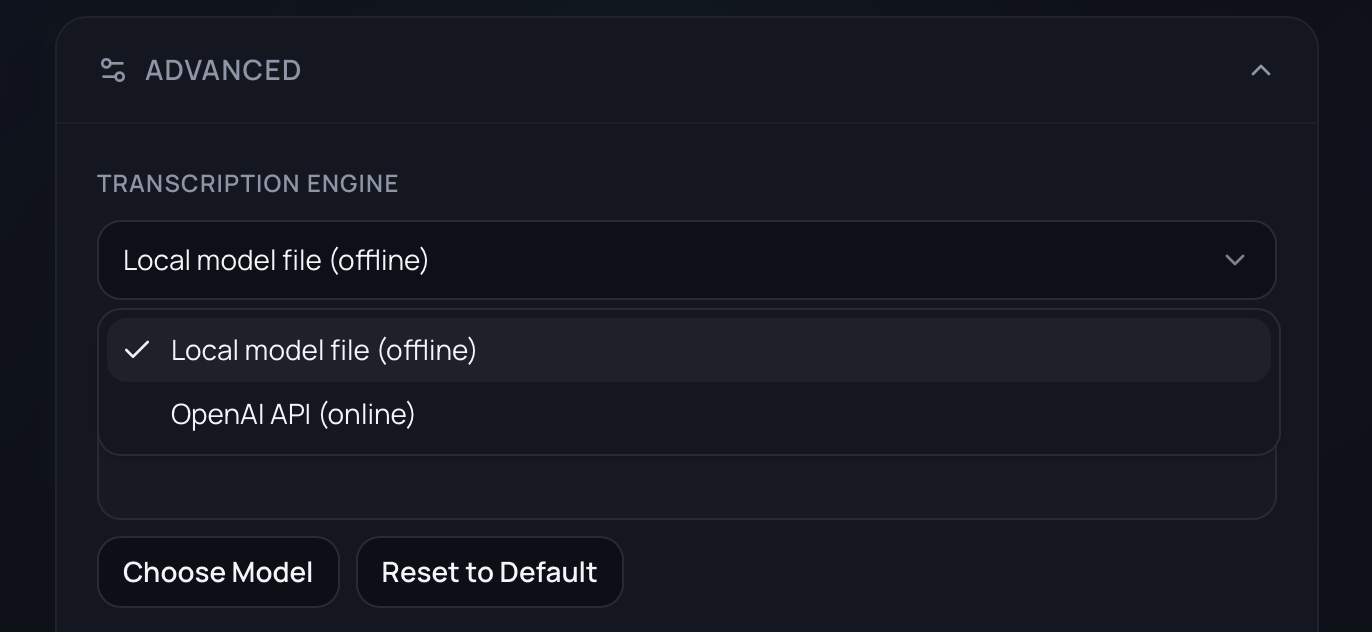
Flexible Transcription Engines
Choose what works for you. Run transcription locally with Whisper for complete privacy and offline use, or connect to OpenAI's API for cloud-powered accuracy.
Lives in Your Menu Bar
FlowType sits quietly in your macOS menu bar, always ready without needing an app window open. Click the menu bar icon or press your hotkey to start dictating — no need to find or launch anything first.

Custom Hotkey
Trigger dictation instantly from anywhere in macOS with a customizable keyboard shortcut. The default Option+Z is fast and out of the way — or set your own.
Press once to start dictating, press again to stop. Change it to any key combination you prefer in the app settings.
How it works
From install to dictation in under a minute. It really is that simple.
Install FlowType
Download and install the app on your Mac. Setup takes less than a minute.
Press Your Hotkey
Hit Option+Z (or your custom shortcut) to start dictation from anywhere.
Speak Naturally
Just talk. When you're done, FlowType handles the rest.
Text Appears in Seconds
Once you stop speaking, your words appear right where you need them — in any app, any text field.
See FlowType in action
A clean, polished interface designed to stay out of your way and let you focus on what matters.
Try it free, then decide
Start with a free 7-day trial. If you love it, it's a one-time payment of $14.99 — no subscription.
for 7 days, then
No subscription. No recurring charges. Ever.
Start Free TrialInstant macOS download. No credit card required.
Frequently asked questions
Everything you need to know about FlowType.
Yes. FlowType comes with a free 7-day trial so you can try everything before you pay. No credit card required to start.
Ready to type at the speed of thought?
Stop typing everything by hand. Let FlowType turn your voice into text, instantly and effortlessly.
7 days free, then $14.99 one-time.